
GUIDE
Online booking for individual customers
1
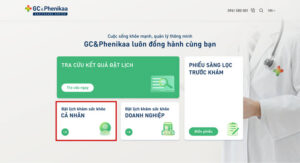
Go to the website: https://gc-phenikaa.com/dat-lich/
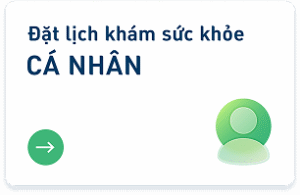
Select “Book INDIVIDUAL health check”
2
Enter booking information
- Fill in all “Booking person information” (fields marked * are required)
- Select “Send SMS verification code” and enter the code sent to your phone
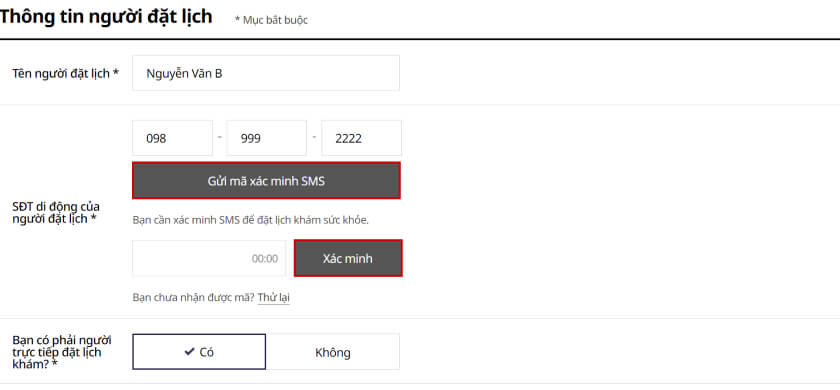
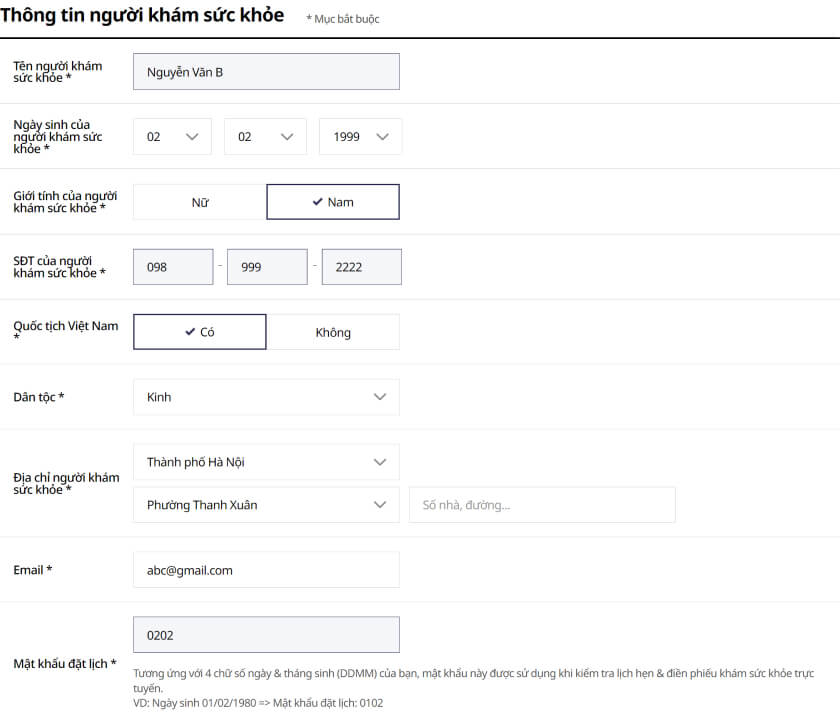
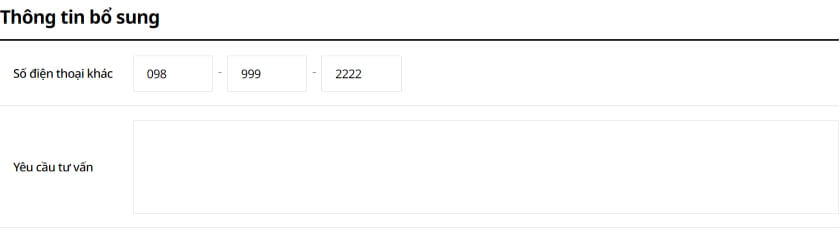
- Fill in all “Patient information” and “Additional information” (fields marked * are required)
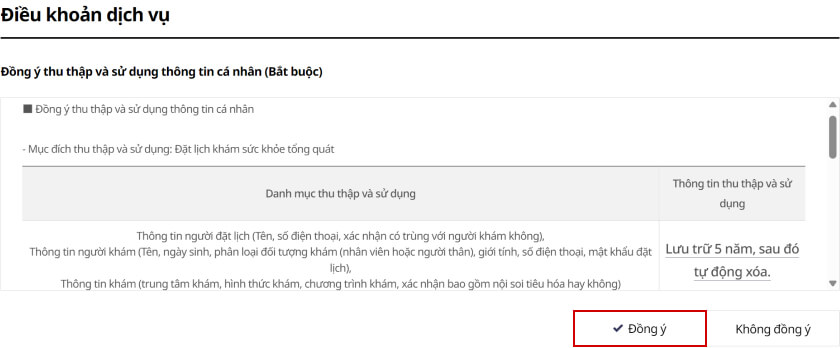
- Select “Agree” in the “Terms of service” section
3
Choose test and exam date
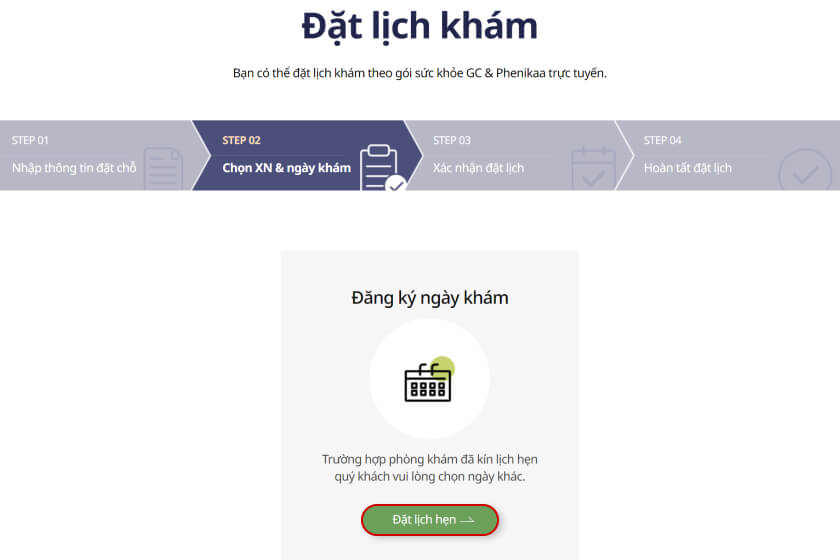
- Select “Book an appointment”
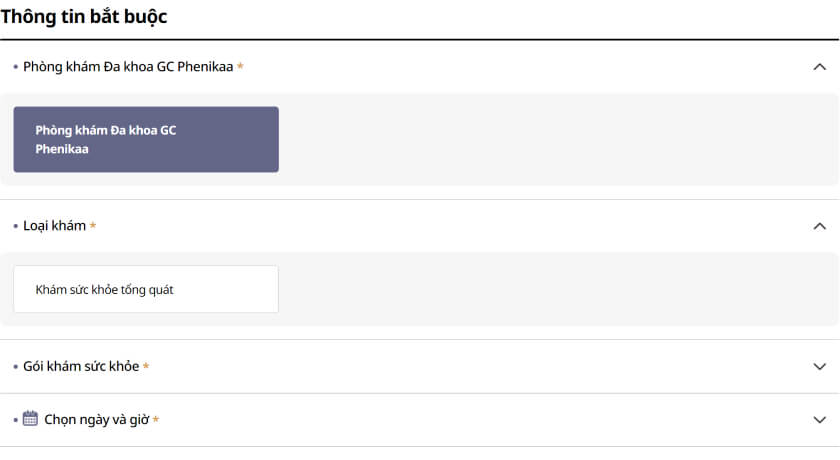
- Select “GC&Phenikaa General Clinic” → “Exam type” → “Package” (register as needed)
4
Choose date & time on the displayed calendar

5
Add extra tests (if needed)
6
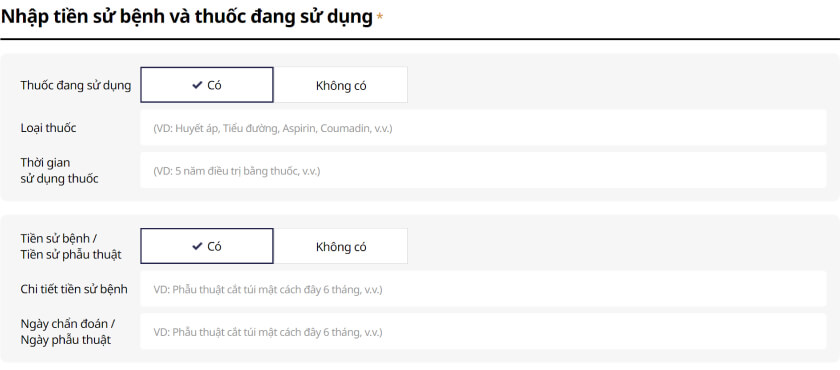
Enter health info: medical history, surgeries, current medications (if any)
- If you select “Yes”, fill in the additional information as instructed
7
Review the total cost of the package and extra tests
8
Confirm booking
- Review your booking information and select “Save booking”

- The system displays your Booking Code & Password right on the screen
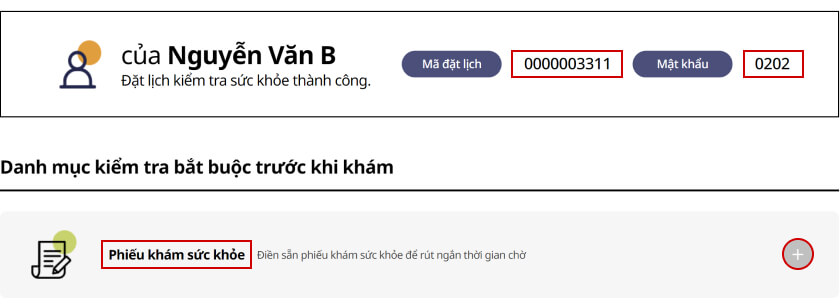
- Use the Booking Code & Password to complete the “Health form” in the system before your exam date to shorten waiting time
9
Fill the online health form on a computer
10
Fill the online health form on a phone
