GC&Phenikaa
0961 580 001
Choose a language
VI
EN
KO
Introduce
Service
Cancer screening
AI technology
Customer stories
Customer instructions
About us
Medical Team
Personal data protection declaration
Facilities
Cooperation partners
About us
Medical Team
Personal data protection declaration
Facilities
Cooperation partners
Cancerch – AI-Powered Health Screening
Gastrointestinal endoscopy
Pediatric examination
Cardiovascular & stroke screening
Corporate health check
Cancerch – AI-Powered Health Screening
Gastrointestinal endoscopy
Pediatric examination
Cardiovascular & stroke screening
Corporate health check
Giới thiệu
Về chúng tôi
Đội ngũ bác sĩ
Tuyên bố bảo vệ dữ liệu cá nhân
Cơ sở vật chất
Đối tác hợp tác
Dịch vụ
CANCERCH
Nội soi đường tiêu hóa
Khám nhi
Tầm soát Tim mạch đột quỵ
Khám sức khỏe doanh nghiệp
Tầm soát ung thư
Công nghệ AI
Câu chuyện khách hàng tại GC&Phenikaa
Hướng dẫn khách hàng
0961 580 001
Guide
Looking up health results on the website
1
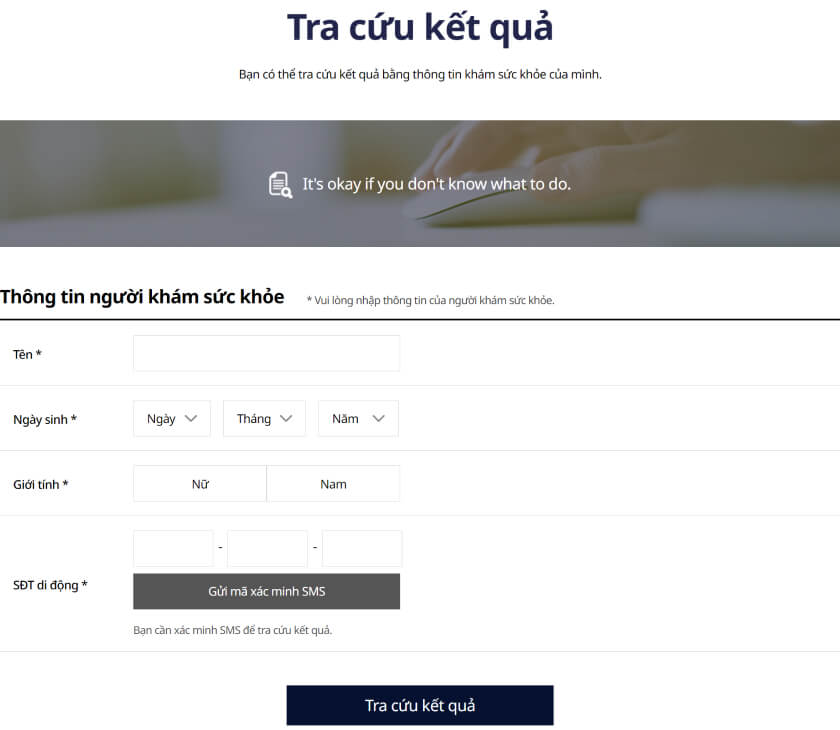
Go to the website: https://reserve.gc-phenikaa.com/result/result/find.do
On the “Look up results” screen, enter the examinee’s full information
Select “Send SMS verification code”. Enter the code sent to your phone
After verification, tap “Look up results”
2
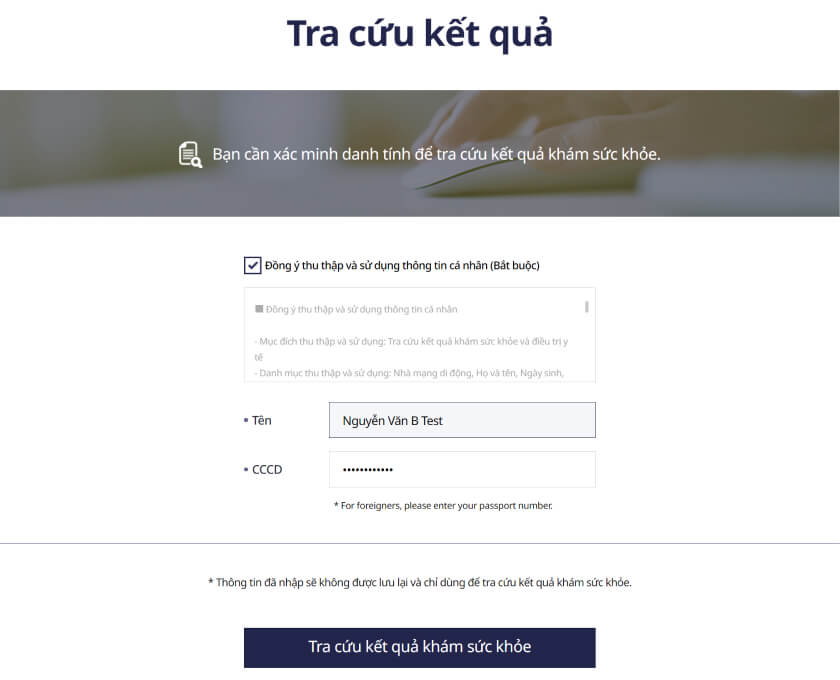
Enter ID card information
Select “Agree to the terms”
Recheck the name information
Enter your ID card number
Select “Look up health results”
3
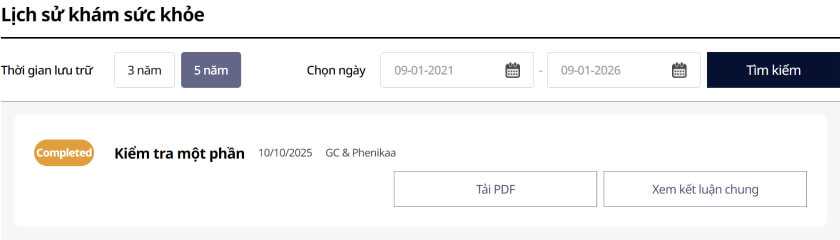
Check the results
View your health results in the sections below