GC&Phenikaa

0961 580 001

Guide

Filling the online health form on a phone

1 Go to the website: https://reserve.gc-phenikaa.com/reserv/pc/intro.do
  • Select “Fill the health form using phone number”

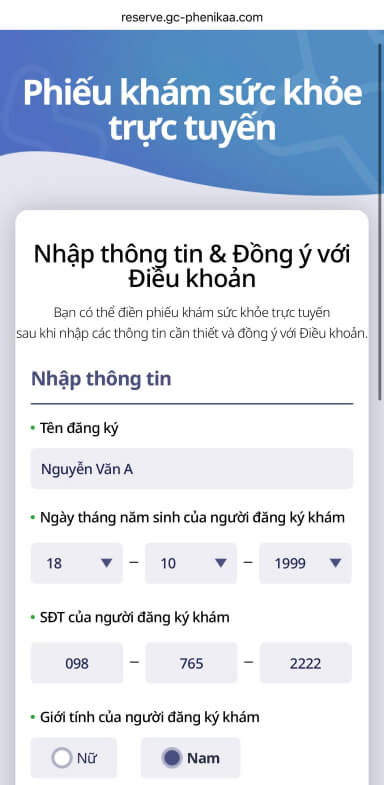
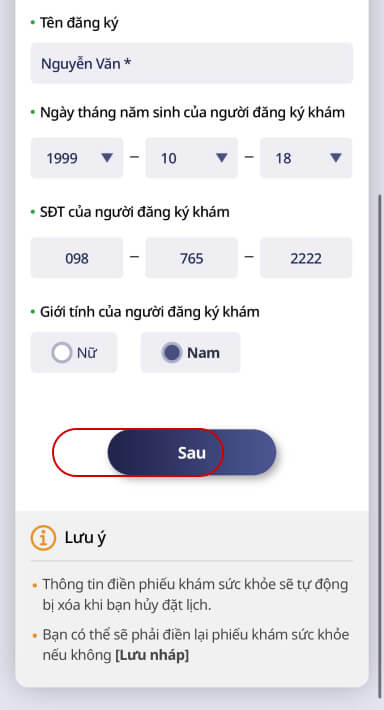
2 Enter information & agree to the terms
  • Enter all the information used when booking:

Registered name: Capitalize the first letter of each word
Phone number: Enter the exact number used to book the exam

  • Agree to the terms

(Note: Enter your registered name, date of birth, phone number and gender exactly as when booking)
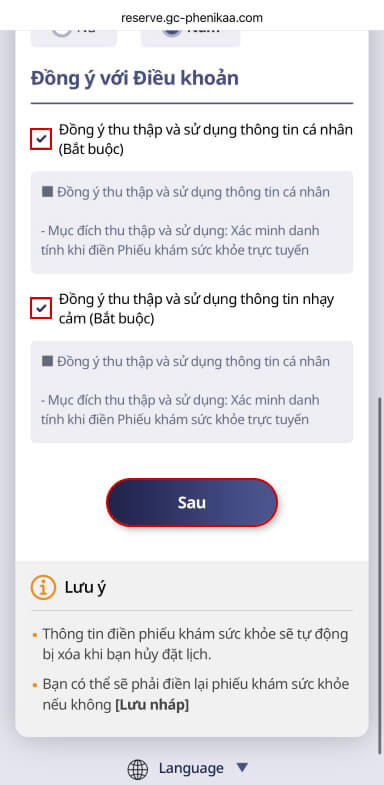
  • Select “Next” to continue
3 Enter all the information used when booking: Registered name: Capitalize the first letter of each word Phone number: Enter the exact number used to book the exam Agree to the terms (Note: Enter your registered name, date of birth, phone number and gender exactly as when booking) Select “Next” to continue
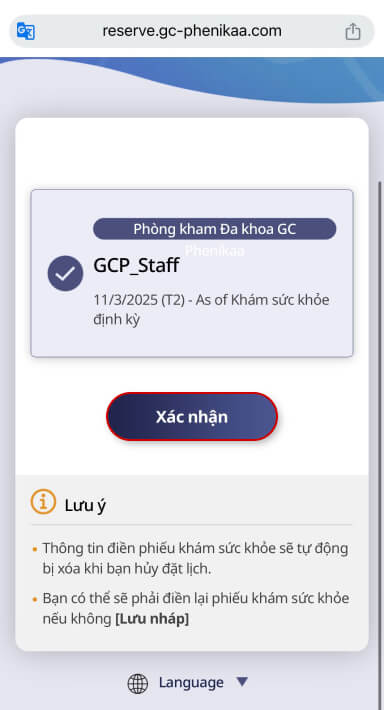
  • Check the information, select “Next”
  • Select the package you booked
  • Select “Confirm” to continue
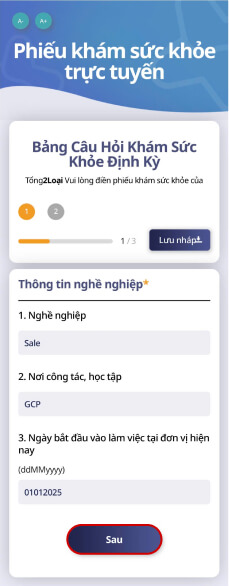
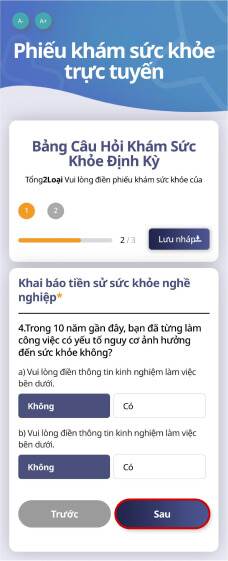
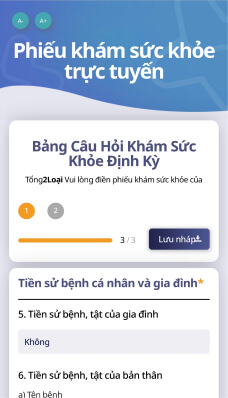
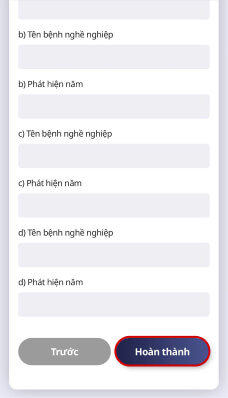
4 Fill in the periodic health check questionnaire
  • Fill in all information about occupation, past work experience, personal and family medical history (from item 1 to 7)
  • Select “Next” to continue
  • Note: Fields marked * are required; if you have a personal, family or occupational medical history, please state the disease name and the year it was detected
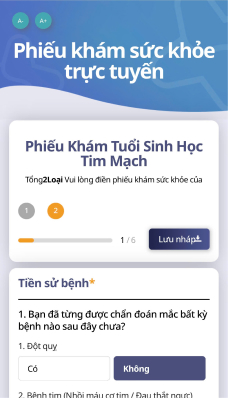
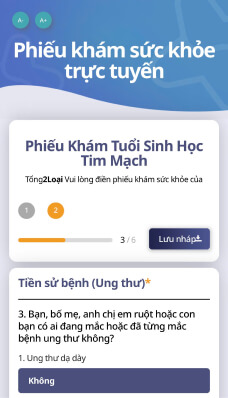
5 Fill in the cardiovascular biological age form
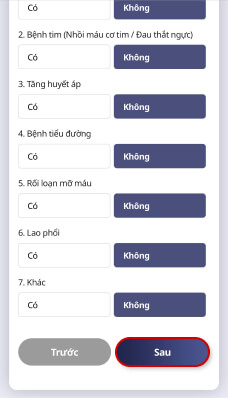
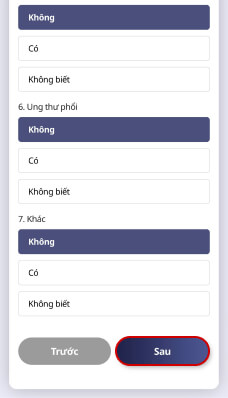
  • Enter medical history information (from item 1 to 3)
  • Select “Yes” or “No/Don’t know”
  • Select “Next” to continue
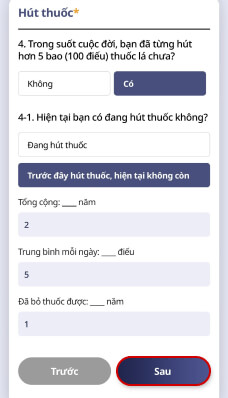
  • Fill in the Smoking section (item 4)
  • Select “Yes” or “No” (if “Yes”, continue filling in the information as instructed)
  • Select “Next” to continue
  • Fill in the Alcohol section (item 5)

If you select “No alcohol”, move to the next step
If you select “Weekly”, “Monthly” or “Yearly”, continue filling in the information as instructed
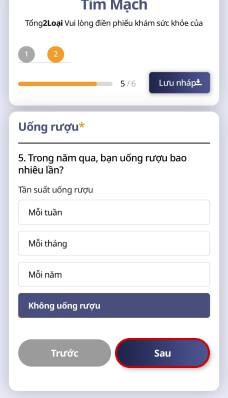
  • Select “Next” to continue
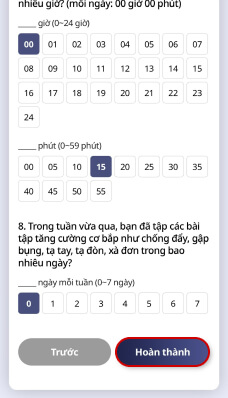
  • Fill in the Physical activity section (items 6 to 8)
  • Select “Complete” to save your online health form